WiFi QR Codes: The Safest Way to Share Your Connection Without Giving Away Your Password
We've all been there: a guest arrives, asks for the WiFi password, and you find yourself squinting at the back of a router or reciting a string of 20 random characters. "Is that an 'O' or a zero? Is the 'L' lowercase or uppercase?"
In 2026, there’s a much better way. By using a WiFi QR code, you can let your friends, family, or customers connect to your network in seconds—without ever revealing your actual password.
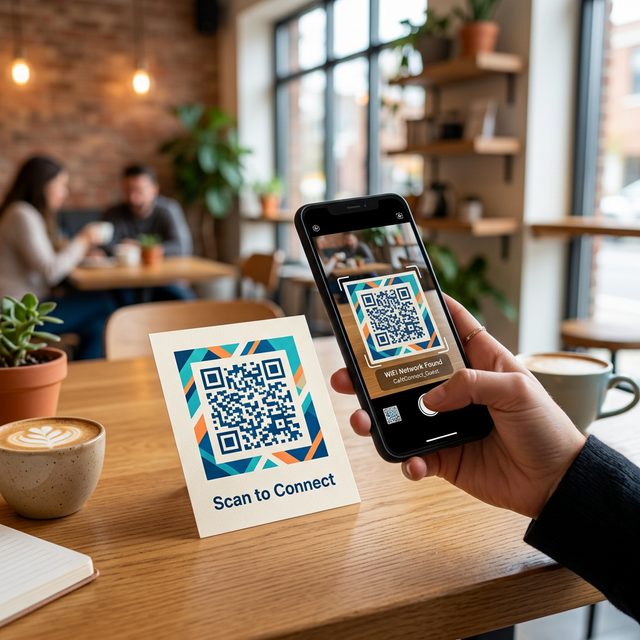
But it’s not just about convenience. WiFi QR codes provide a significant boost to your digital security and privacy. Let’s explore why this technology is a must-have for every modern home and business.
1. Eliminates the "Password Shout"
When you tell someone your password out loud, you’re potentially sharing it with anyone in earshot. Whether you’re at a busy cafe or hosting a party, "shouting" your credentials is a major security slip. A QR code allows for a private, silent exchange of information.
2. Frictionless Connection for Guests
Manually typing a password is prone to errors. With a WiFi QR code generator, the credentials (SSID and Password) are embedded directly into the code. When a user scans it, their phone automatically handles the handshake. No typos, no frustration.
3. Secure Handling of Credentials
Modern smartphones (iOS and Android) treat WiFi QR codes with built-in security layers. The password isn't usually displayed in plain text during the scan—the system simply asks, "Join [Network Name]?". This keeps your actual password hidden from the user's view while still granting them access.
4. Perfect for Businesses and Airbnbs
If you run a small business, a cafe, or a vacation rental, providing WiFi is expected. Instead of printing a piece of paper with the password (which can be easily copied or photographed), you can place a stylish QR code on table tents or wall frames. It looks professional and keeps your network management streamlined.
How to Create Your Own WiFi QR Code
Creating a secure scan-to-connect code takes less than a minute with SnappyQR:
- Go to the SnappyQR Creator.
- Select the Wifi tab.
- Enter your Network Name (SSID).
- Enter your WiFi Password.
- Select your encryption type (usually WPA/WPA2).
- Click Create and download your custom image.
Pro Tip: If you frequently change your WiFi password for security, just generate a new QR code and swap the image. It’s the easiest way to keep your network secure without driving your guests crazy.
Final Thoughts
In an era where convenience often comes at the cost of security, WiFi QR codes are a rare win-win. They make the "first five minutes" of a guest's visit smoother while keeping your most sensitive credentials under wrap.
Ready to upgrade your guest experience? Generate your free WiFi QR code now at SnappyQR.com.